Troubleshooting Table Selection Errors - DSS 6 | Data Source Solutions Documentation
Documentation: Troubleshooting Table Selection Errors - DSS 6 | Data Source Solutions Documentation
Troubleshooting Table Selection Errors
The section describes various errors/issues you may encounter while adding SAP tables to a channel, and the workaround for resolving them.
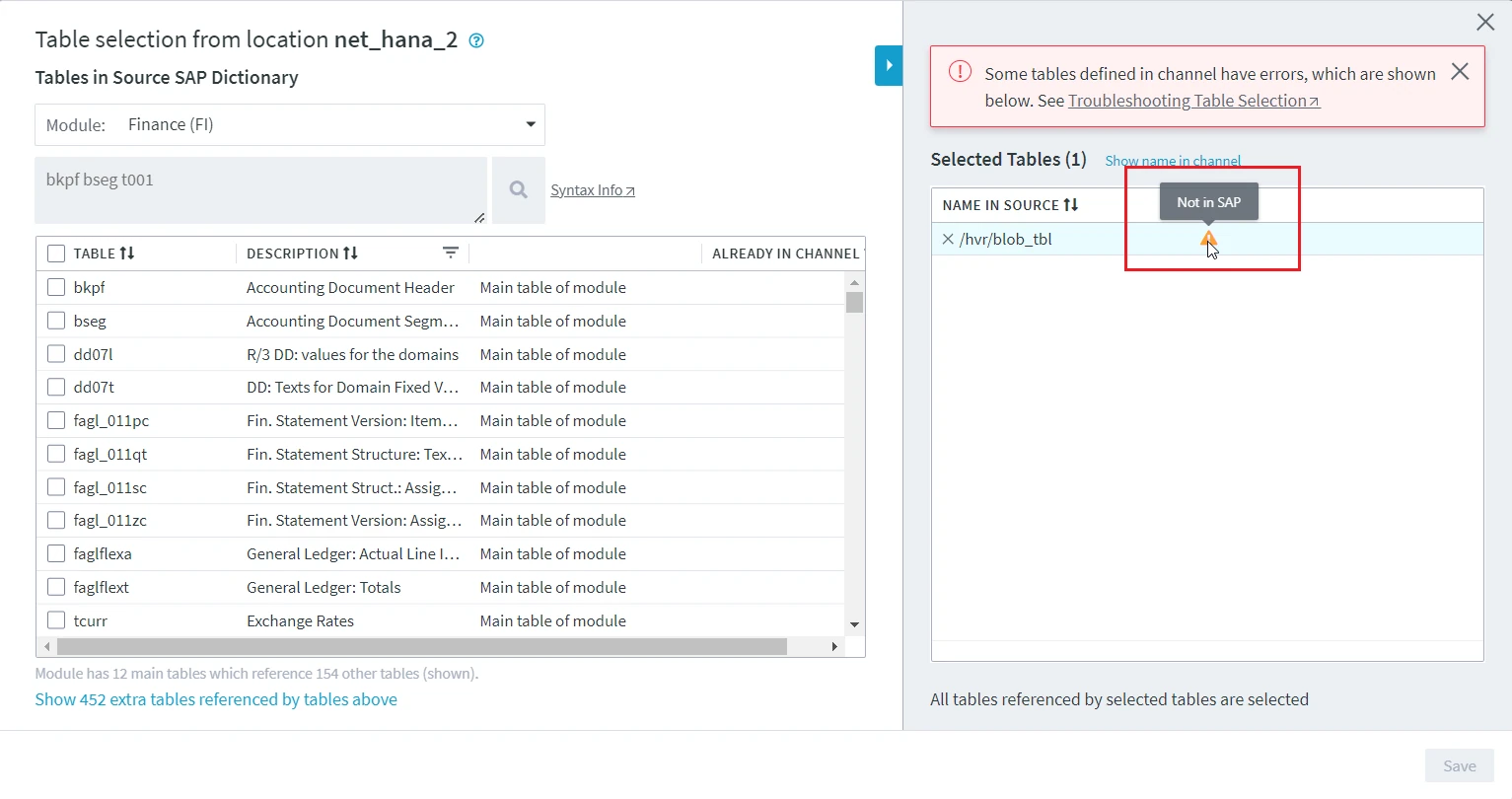
Not in SAP
Issue
The error "Not in SAP" is displayed when the selected table does not exist in SAP database. Following are the scenarios/reasons for this error:
- The table was earlier existing in the SAP database when it was added to the channel. Later, when this table is removed from the database and when you access the Table Selection dialog, this error message is displayed.
- The location was initially configure as a non-SAP location and normal database tables were added to the channel. Later, when the location property SAP Schema (SAP_Source_Schema) is selected/defined for this location and when you access the Table Selection dialog, this error message is displayed.
- If the table definitions were imported from XML.
Resolution
To resolve this problem, remove the table (for which the error is displayed) from channel. This can be done from the Tables screen or from the Table Selection dialog itself.
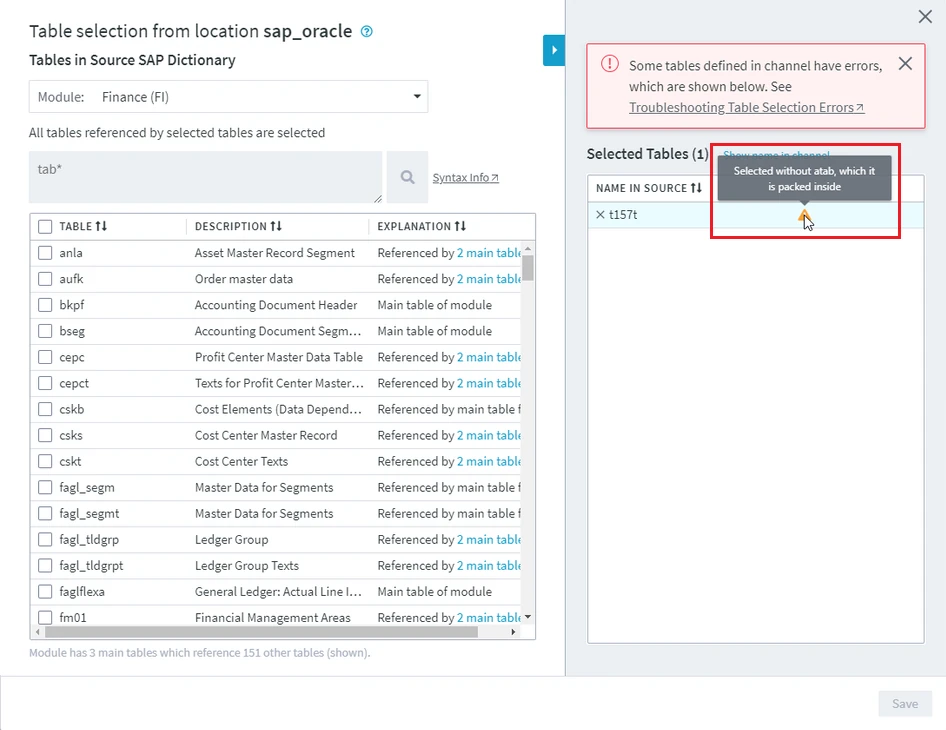
Selected without <table_name>, which it is packed inside
Issue
The error "Selected without table_name, which it is packed inside" is displayed for the packed tables. This happens when the container table is deleted from the channel but not the tables that are packed inside this container.
Resolution
To resolve this problem, either:
- Add the container table to channel using the Table Selection dialog. For example, in the below screenshot, error "Selected without atab, which it is packed inside" is displayed for the packed table t157t, to resolve this error, add the container table atab using the Table Selection dialog.
- Remove the packed table (for which the error is displayed) from channel. This can be done from the Tables screen or from the Table Selection dialog itself.
Cluster/Pool selected without any tables packed inside it
Issue
The error "Cluster/Pool selected without any tables packed inside it" is displayed if a container (cluster/pool) table without any packed tables is added to the channel.
Resolution
To resolve this problem, either:
- Add packed tables that is available in the already added container (cluster/pool) table.
- Remove the container (cluster/pool) table for which the error is displayed. This can be done from the Tables screen or from the Table Selection dialog itself.

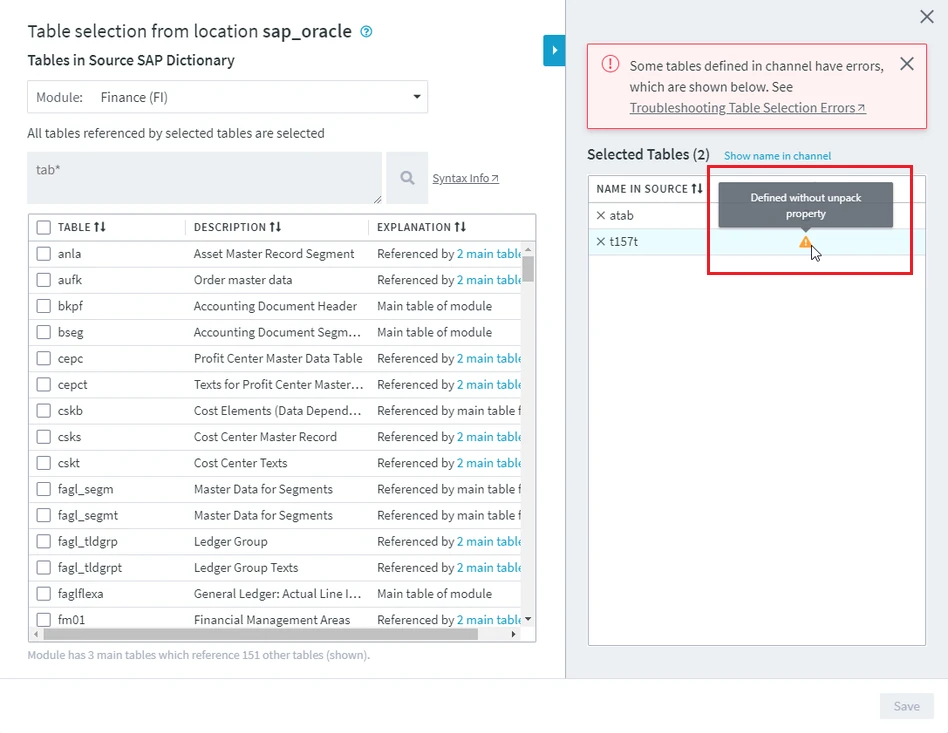
Defined without unpack property
Issue
The error "Defined without unpack property" is displayed when the action TableProperties with parameter PackedInside defined for this table is deleted or the parameter PackedInside does not contain this table name.
By default, for each container (pool/cluster) table added to a channel using the Table Selection dialog, DSS automatically defines an action TableProperties with parameter PackedInside.
Resolution
To resolve this problem, define action TableProperties with parameter PackedInside for the packed table (for which the error is displayed).
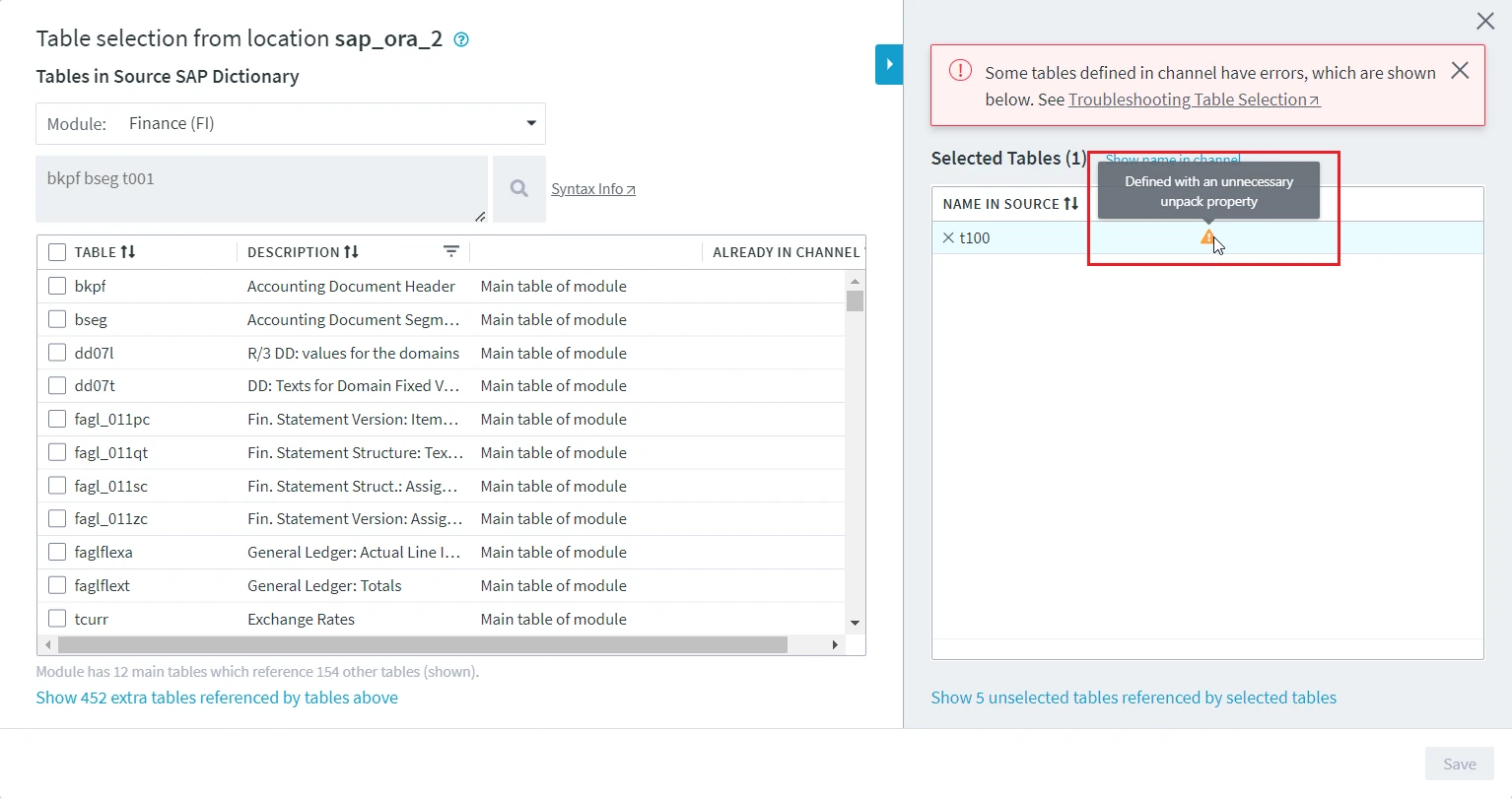
Defined with unnecessary unpack property
Issue
The error "Defined with an unnecessary property" is displayed when a transparent or long text (STXL) table or a table that does not require unpack is defined in parameter PackedInside of action TableProperties. This can happen if the user had created/edited this action manually.
By default, for each container (cluster/pool) table added to a channel using the Table Selection dialog, DSS automatically defines an action TableProperties with parameter PackedInside.
Resolution
To resolve this problem, either:
- Delete action TableProperties with parameter PackedInside that is defined for the above mentioned table types.
- Remove the table (for which the error is displayed) from channel. This can be done from the Tables screen or from the Table Selection dialog itself.
Defined with Incorrect Unpack Property
Issue
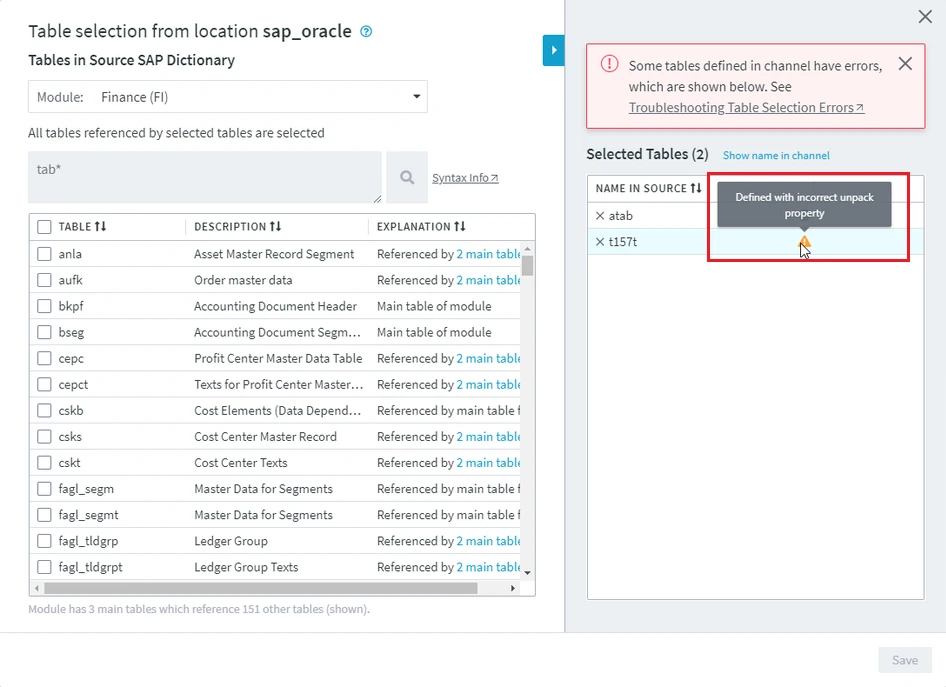
The error "Defined with incorrect unpack property" is displayed for a packed table when the parameter PackedInside of action TableProperties is defined with a wrong container table name. This can happen if the user had created/edited this action manually.
By default, for each container (cluster/pool) table added to a channel using the Table Selection dialog, DSS automatically defines an action TableProperties with parameter PackedInside.
Resolution
To resolve this problem, either:
- Specify the correct container table name in parameter PackedInside of action TableProperties.
- Remove the packed table for which the error is displayed. This can be done from the Tables screen or from the Table Selection dialog itself.
Illegal schema for SAP
Issue
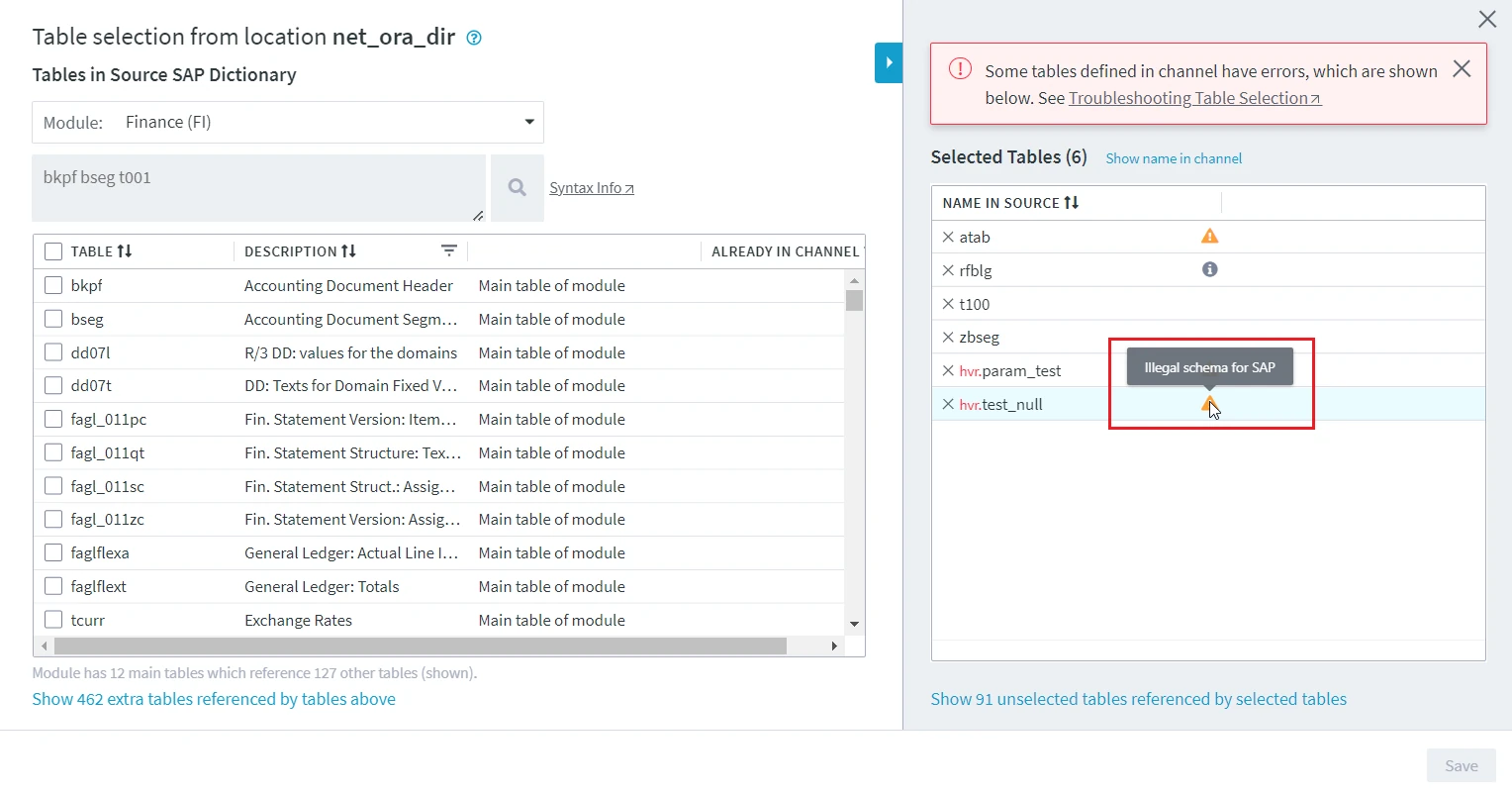
The error "Illegal schema for SAP" is displayed when the table schema defined is not a SAP source schema.
Resolution
To resolve this problem, remove non-SAP tables, define correct SAP source schema and add SAP tables.
Container <table_name> does not exist
Issue
The error "Container table_name does not exist" is displayed when the container table for packed table does not exist in database.
Resolution
To resolve this problem, check data consistency in SAP using transaction SE11.