Hub Server - DSS 6 | Data Source Solutions Documentation
Documentation: Hub Server - DSS 6 | Data Source Solutions Documentation
Hub Server
The Hub Server tab on the System page contains configuration properties of the server where DSS Hub is installed and running.
In the Command Line interface (CLI), the hub server properties can be set using the command dsshubserverconfig.
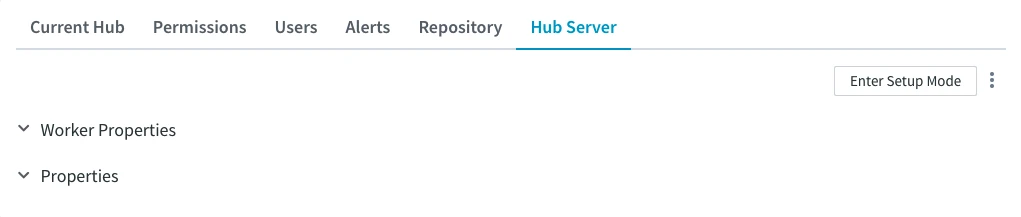
Worker Properties
A worker is a process used by the DSS Hub Server to execute the REST calls. In this section, you can configure the properties of the DSS Hub Server worker.
| Property | Description |
|---|---|
| WORKER AGE | DSS Hub Server worker will be shutdown after it has reached age of secs seconds. The A worker is a process used by the DSS Hub Server to execute the REST calls. |
| WORKER IDLE | DSS Hub Server worker will be shutdown after it has remained idle for secs seconds
The |
| WORKER MAX SOFT | Threshold after which the DSS Hub Server worker will slow down spawning of workers.
The |
| WORKER MAX HARD | Maximum number of workers that DSS Hub Server will spawn at the same time.
The |
| WORKER ENVIRONMENT | Sets one or more environment variables for hub server workers. The value of the Worker_Environment is a JSON string and can be used to set multiple environment variables at once. In case the Worker_Environment property is changed, the hub server recognizes the changes and all new workers being used adhere to the newly configured environment variables. |
Properties
Properties section includes:
- Log Rotate Interval – the interval in seconds at which log files are automatically rotated.
Managing Hub Server
The following options to manage hub server are available in the top right corner of the Hub Server tab, as well as under the More options menu  .
.
Enter Setup Mode
Click the Enter Setup Mode button in the top right corner of the Hub Server tab to enable the setup mode. It invokes the workflow that allows to set up the DSS Hub System from the browser.
View HTTP Access Log
HTTP Access log option shows the information about each HTTP connection to the server. For information on what the logs include and how to manage them, see Viewing Log.
View Hub Server Log
Hub Server log option shows the log of all the events taking place on the hub server. For information on what the logs include and how to manage them, see Viewing Log.