Editing Column - DSS 6 | Data Source Solutions Documentation
Documentation: Editing Column - DSS 6 | Data Source Solutions Documentation
Editing Column
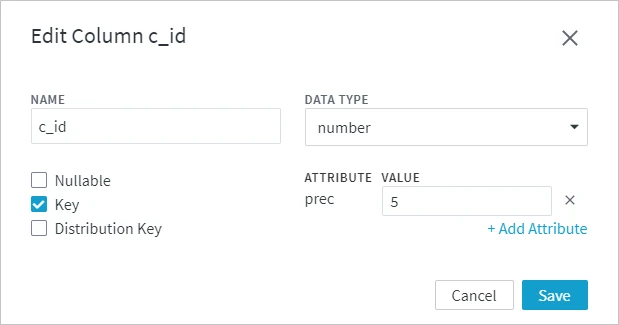
Option Edit Column allows you to change the column name, data type, add and delete column attributes, make the column nullable, a key column or a distribution key column. The option is available on the Table Details page.
Perform the following steps to edit a column.
-
On the left sidebar, click TABLES to open the Tables page.
-
On the Tables page, click the name of the table containing the column to be edited. This will open its Table Details page.
-
On the Table Details page, under the Columns tab, click the More Options icon
 related to the column and select Edit Column.
 -
In the Edit Column dialog, change the required parameters and click Save.