Duplicating Channel - DSS 6 | Data Source Solutions Documentation
Documentation: Duplicating Channel - DSS 6 | Data Source Solutions Documentation
Duplicating Channel
This section describes the steps to duplicate a channel.
When duplicating a channel, DSS copies the following objects related to the channel:
- locations
- location groups
- tables
- actions
You can duplicate a channel from the Channel Details page or from the Channels page.
To duplicate a channel from the Channel Details page:
-
On the left sidebar, click CHANNELS.
-
On the Channels page, click a required channel to open its Channel Details page.
-
On the Channel Details page, click the More Options icon
 at the top right and select Duplicate Channel.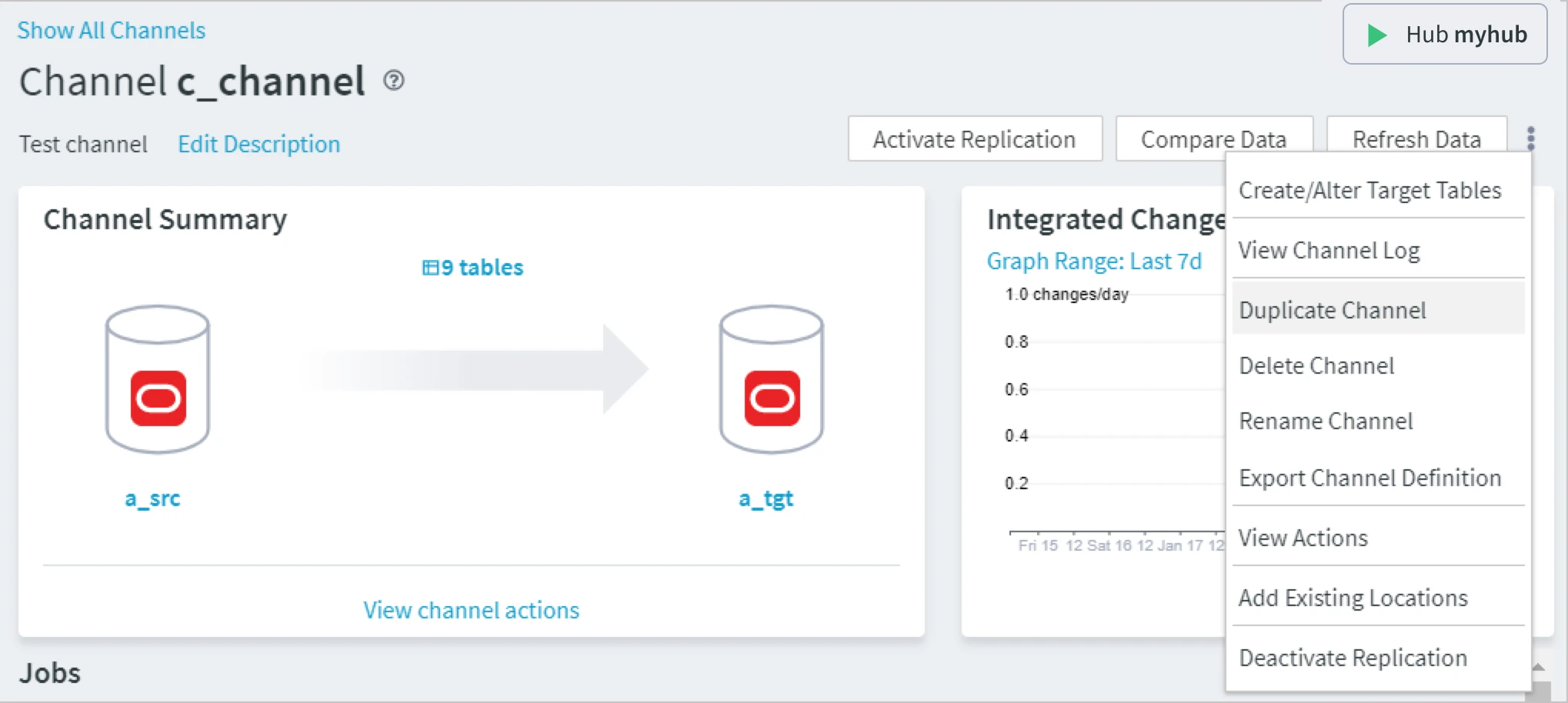
-
In the Duplicate Channel dialog, type the name of the new channel and optionally the description.
The name of the duplicated channel must differ from the existing ones.
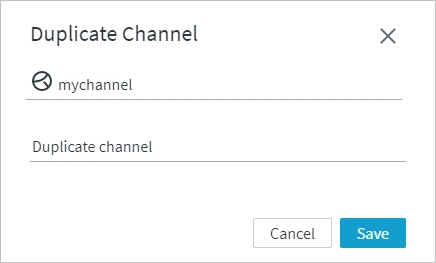- Click Save. You will be navigated to the Channels page where the new channel will appear in the list of channels.
To duplicate a channel from the Channels page:
-
On the left sidebar, click CHANNELS.
-
On the Channels page, click the More Options icon
related to the channel and select Duplicate Channel.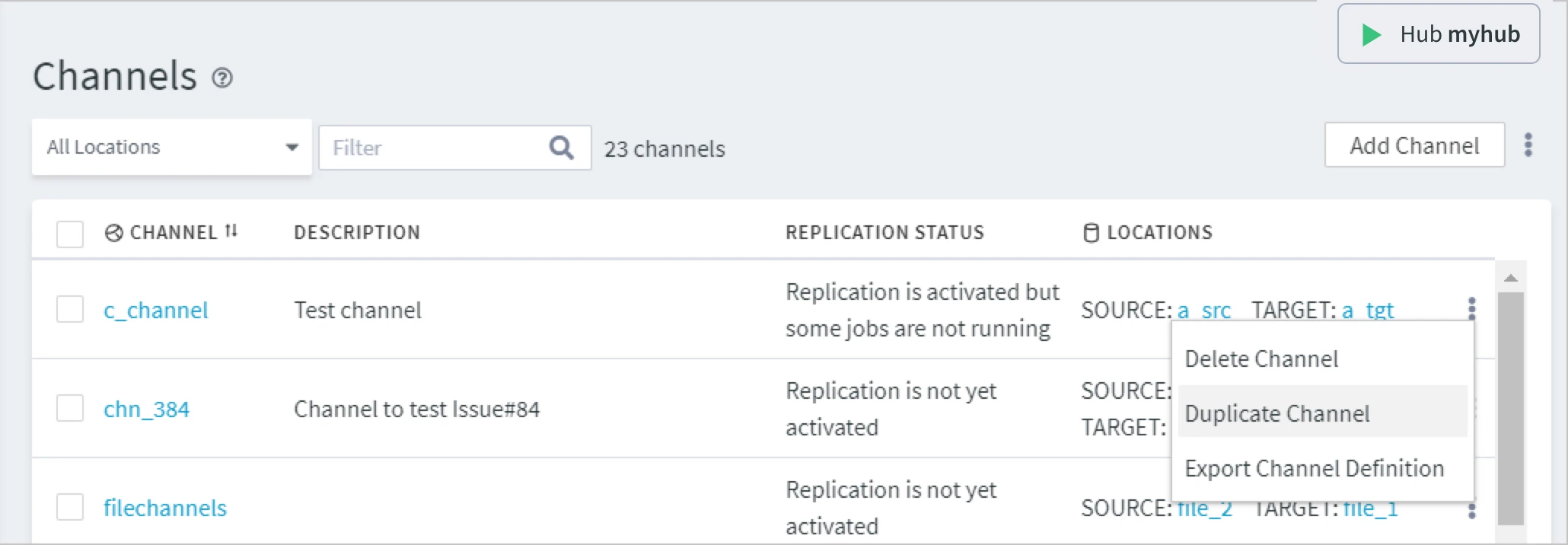
-
In the Duplicate Channel dialog, type the name of the new channel and optionally the description.
The name of the duplicated channel must differ from the existing ones.
- Click Save. The new channel will appear in the list of channels.