Actian Vector as Target - DSS 6 | Data Source Solutions Documentation
Documentation: Actian Vector as Target - DSS 6 | Data Source Solutions Documentation
Actian Vector as Target
Data Source Solutions DSS supports integrating changes into Vector database. This section describes the configuration requirements for integrating changes using Integrate and Refresh into Vector location. For the list of supported Vector versions, into which DSS can integrate changes, see Integrate changes into location in Capabilities.
- DSS uses Ingres OpenAPI interface to write data into Vector during Continuous Integrate and Row-wise Refresh.
- DSS uses Vector SQL command 'copy table ... () from program' during Burst Integrate and Bulk Refresh.
For DSS to integrate changes into a Vector installation on a remote machine, special database roles (dss_integrate and dss_refresh) must be created in that Vector installation. Execute the following script to create these roles:
-
In UNIX & Linux,
$ sql iidbdb < $DSS_HOME/dbms/ingres/dssrolecreate.sql -
In Windows,
C:\>sql iidbdb < %DSS_HOME%\sql\ingres\dssrolecreate.sql
Access Privileges for Integrate and Refresh
This section describes the access privileges required for integrating changes into a Vector location.
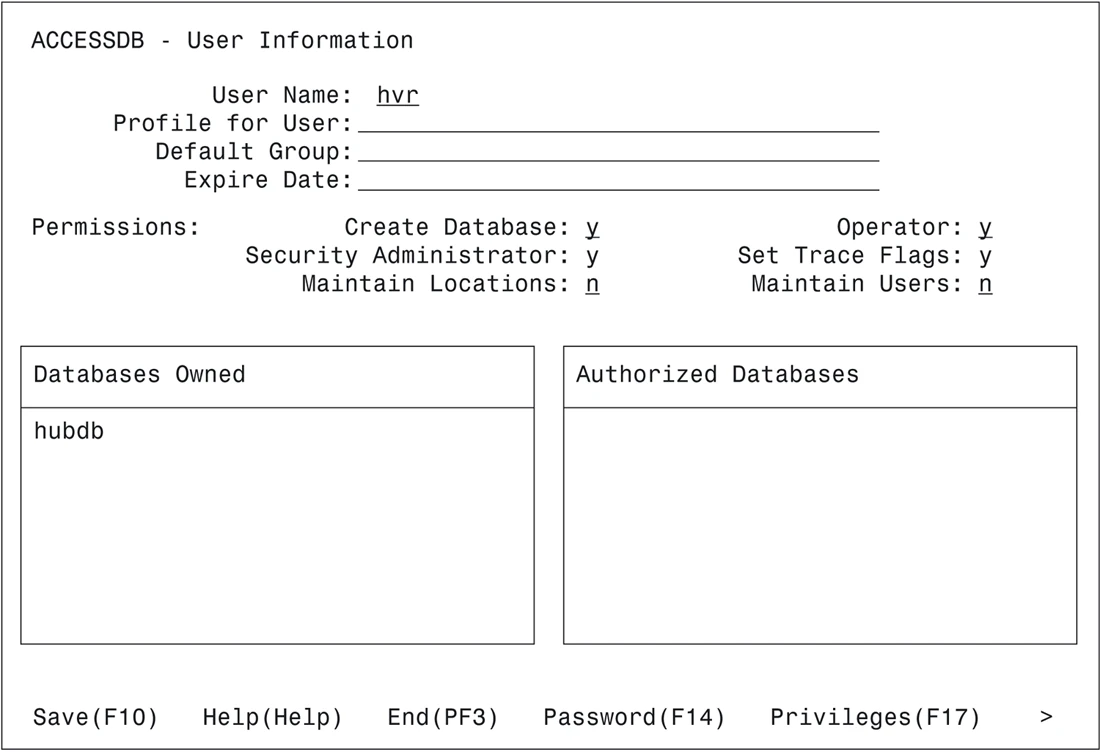
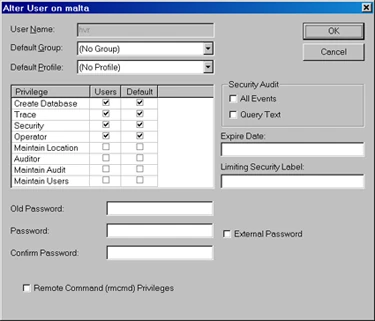
For a Vector database location, each account used by DSS must have permission to use Vector. Typically, DSS connects to database locations as the owner of that database. This means that either DSS is already running as the owner of the database, or it is running as a user with Vector Security Privilege. DSS can also connect to a database location as a user who is not the database's owner, although the Row-wise Refresh into such a database is not supported if database rules are defined on the target tables.
Accessdb permission screen:
DBA permission screen:
Intermediate Directory
{% partial file="dss6/requirements/source-and-target-requirements/intermediate-directory.template.md" /%}
Intermediate Directory is Local
{% partial file="dss6/requirements/source-and-target-requirements/intermediate-directory-local.template.md" /%}